
0-150 flight hours
Starter
$0
No monthly charge
Flight entries and importsFlight totals and licensing goalsStandard exports and reports

A dependable digital flying record for Canadian pilots, from first flight through a professional career.
Capture flights, understand your experience, stay current, and keep written exams, flight tests, applications, and instructor records connected.
Pricing that follows your flying
Your tier is based on total flight time. The first 150 hours are free, and your records remain together as you move through each stage of your career.
0-150 flight hours
$0
No monthly charge
150-500 flight hours
$6
CAD per month
Save with $60/year annual option
500+ flight hours
$10
CAD per month
Save with $100/year annual option
Annual options and AeroOps Accounting are available during signup.
The working Logbook platform
This fictional demonstration shows how totals, completeness, currency, applications, and route history remain connected to the underlying flights.
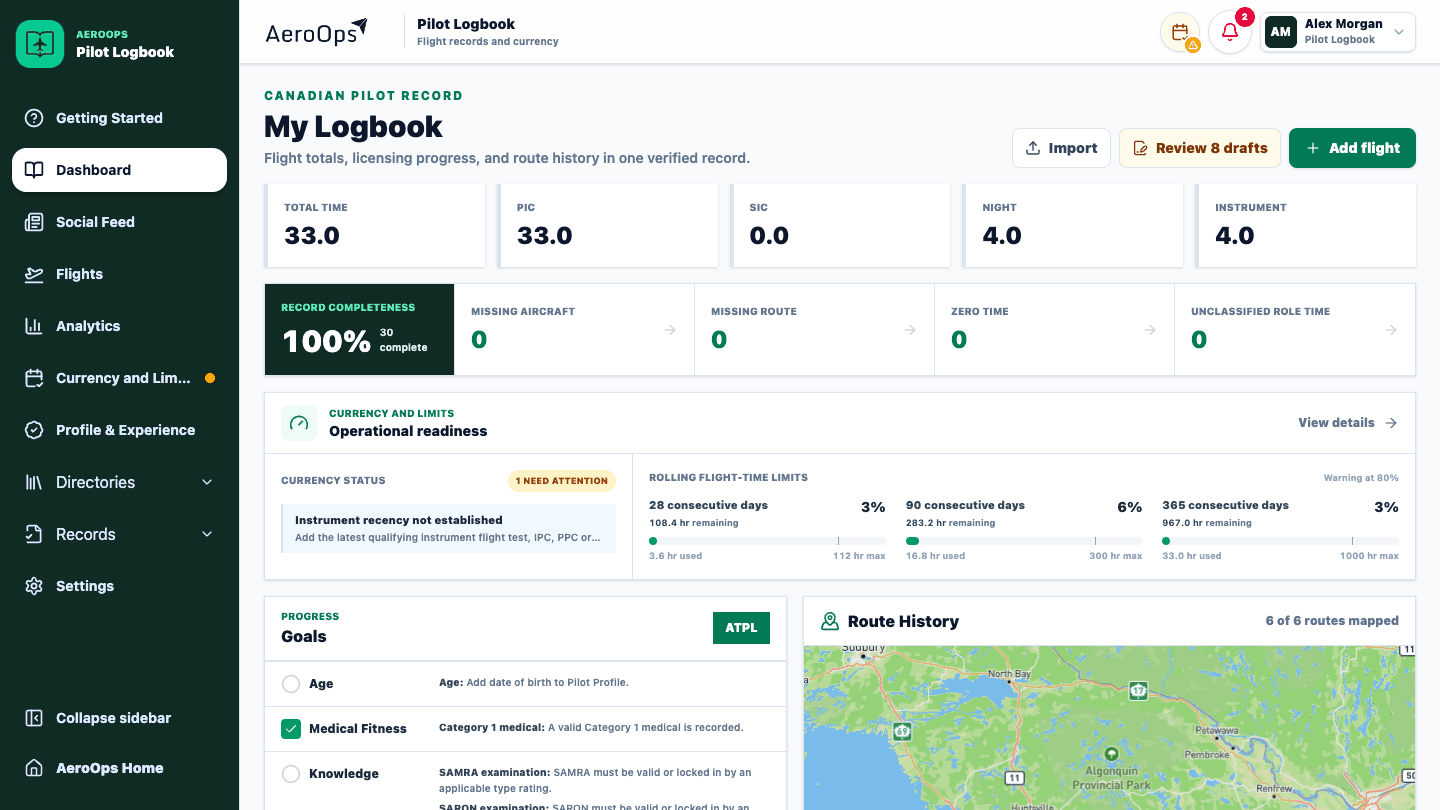
1. SmartImport
Upload a phone photo or scan and AeroOps automatically rotates, crops, and reads the page. Every detected flight stays beside its original handwritten line, with uncertain fields clearly flagged before anything enters your logbook.
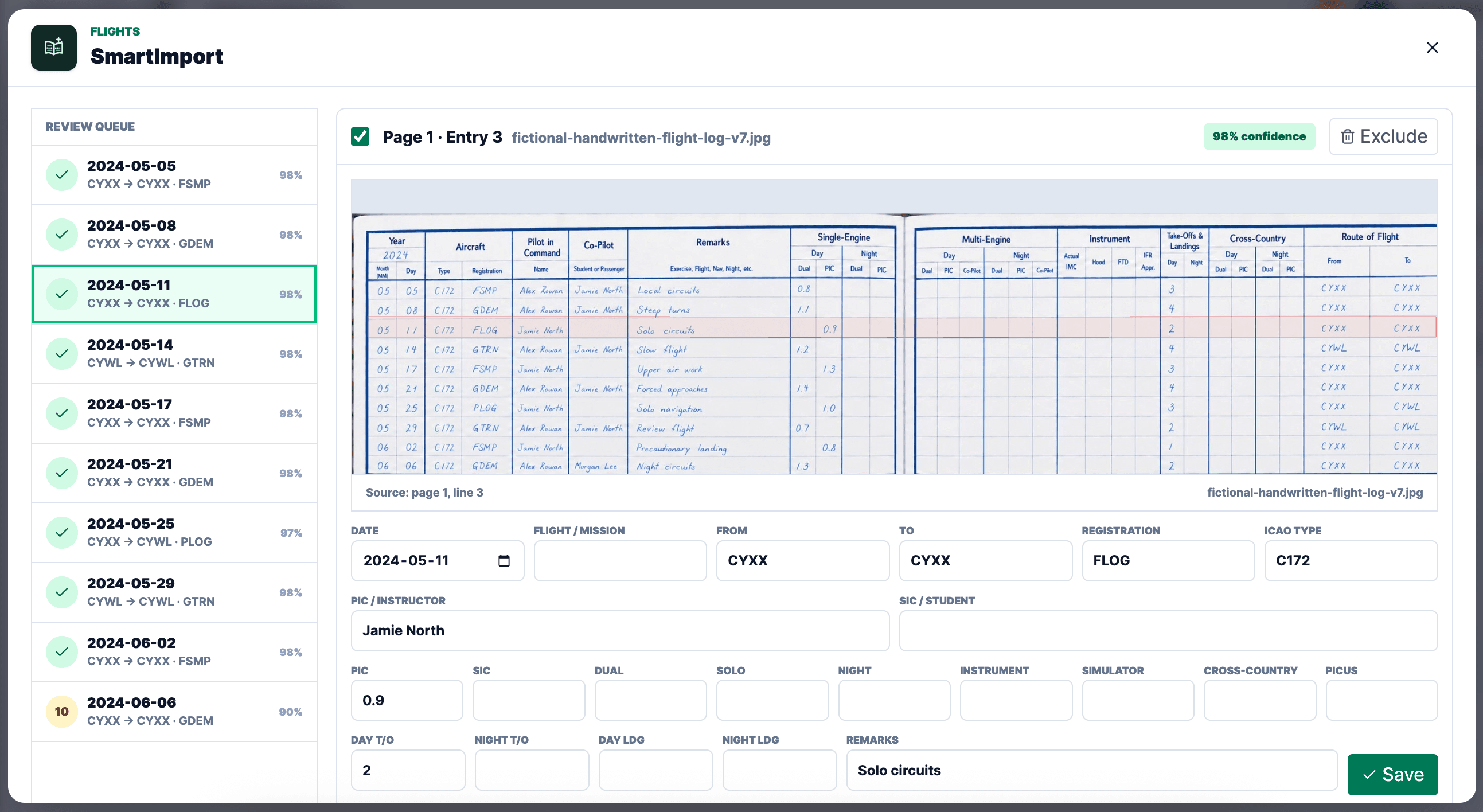
Use phone photos, scans, JPEG, PNG, WebP, or HEIC pages. SmartImport automatically rotates and crops each image.
Handwritten dates, aircraft, crew, routes, times, landings, and remarks become structured draft entries.
AeroOps highlights the exact source line, flags uncertain handwriting, and keeps every extracted field editable.
Correct repeated names, registrations, airports, and ICAO aircraft types once, then import only the entries you approve.
SmartImport creates reviewable drafts. Pilots remain responsible for comparing every entry with the original record before import.
My flights
2. Keep a logbook, not a pile of forms
The flight list uses familiar logbook columns, banded rows, page totals, filters, and completeness links. Calculated categories can be overridden within sensible limits when the real record requires it.
3. Understand the experience behind the total
Clickable charts reveal the month, hours, miles, route, approach, aircraft, or role behind a result. Custom date ranges make the same data useful for applications, insurance, recency, and personal milestones.
Hours flown
Monthly completed flight time
Experience mix
Distance flown
148,620 NM
4. Keep the records behind the hours
SmartImport can extract written-exam and flight-test reports into a reviewable draft. AeroOps keeps your personal flight tests separate from student outcomes and builds the applicable instructor record, merit-renewal picture, class-upgrade progress, and first-solo authorizations from the records you approve.
Pilot records
Written exams
Knowledge results
My flight tests
Instrument Rating
Aeroplane · May 16, 2026
17
Exercises
3–4
Scores
2
Deficiencies
My instructor record
Class 3 upgrade
Applicable experience progress
5. Protect the record
Create CSV exports and a clean Canadian-style printable logbook with the columns you have enabled.
Preserve exported logbooks, certified letters, and external certification details as durable record packages.
Connect supported cloud backups, receive stale-backup warnings, and control who can see shared flights or milestones.
What is included
Each workflow is designed to reduce entry work while preserving the detail, traceability, and control a professional logbook needs.
Record or import complete flight entries, including OOOI or Hobbs times, routes, crew, approaches, aircraft, roles, and custom time categories.
Bring in digital exports, paper totals, photographed pages, written exams, and flight-test reports, then review uncertain fields before anything becomes part of your record.
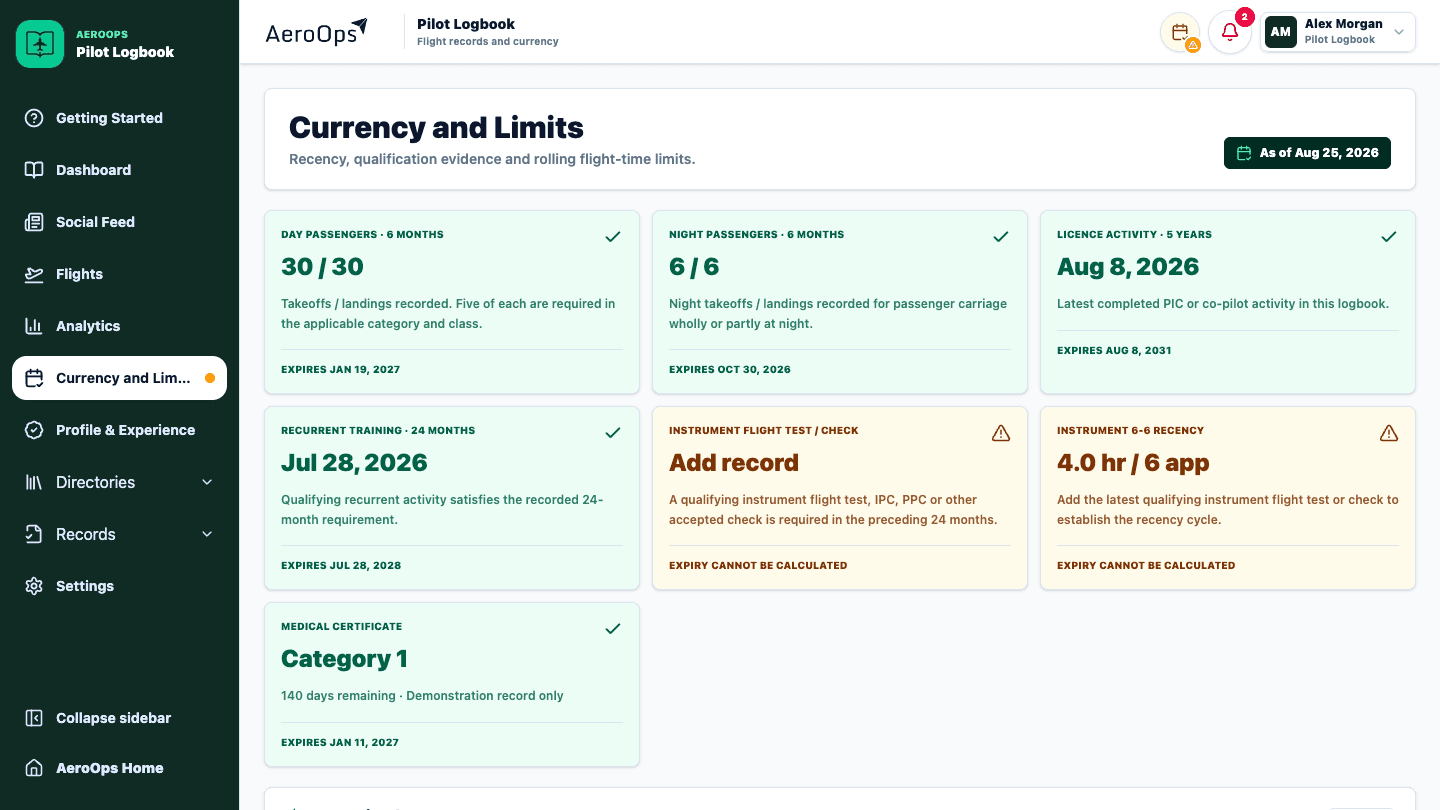
See the flights behind every total, monitor recency and credentials, and organize the experience and supporting records needed for Transport Canada applications.
Keep personal flight tests separate from student outcomes, track instructor-rating records, merit renewal, applicable class upgrades, and first-solo authorizations in one connected system.
Create Canadian-style printable logbooks and experience reports, preserve supporting documents, connect backups, share your logbook when needed, and retain control of your data.
Inside the product
These are captures of the working AeroOps demo environment. Every name, aircraft, schedule, and operational value is fictional.
Logbook is available now.